
Simple ATS
ATS-friendly
Resume templates
Choose resume templates designed for easy reading by people and applicant tracking systems. These layouts keep structure simple, headings familiar and text selectable.
23 designs. Every one can be switched later without retyping your content.
ATS-friendly

ATS-friendly

ATS-friendly

Professional

Professional

Modern

Executive

Traditional

Finance

Student / Fresher
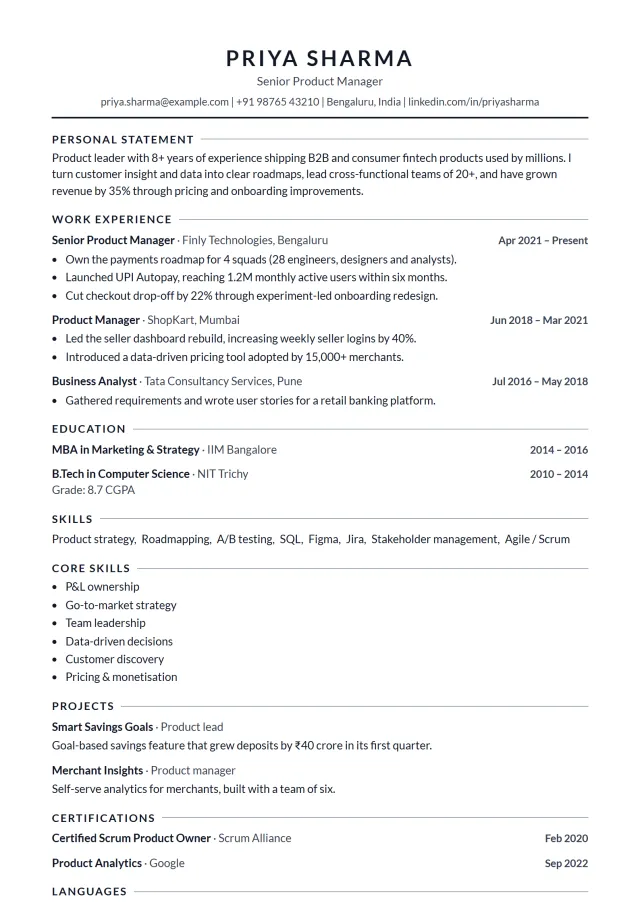
ATS-friendly
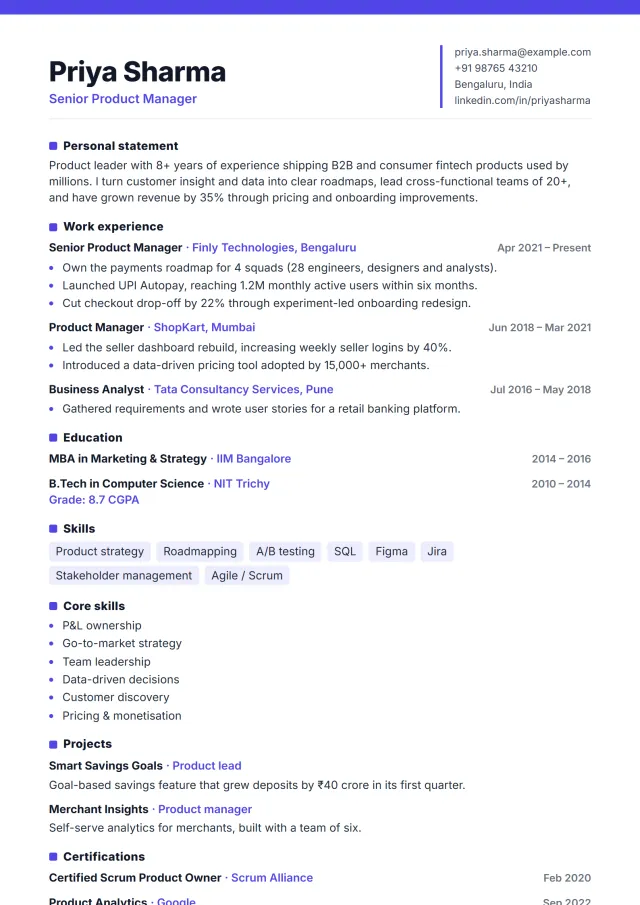
Modern
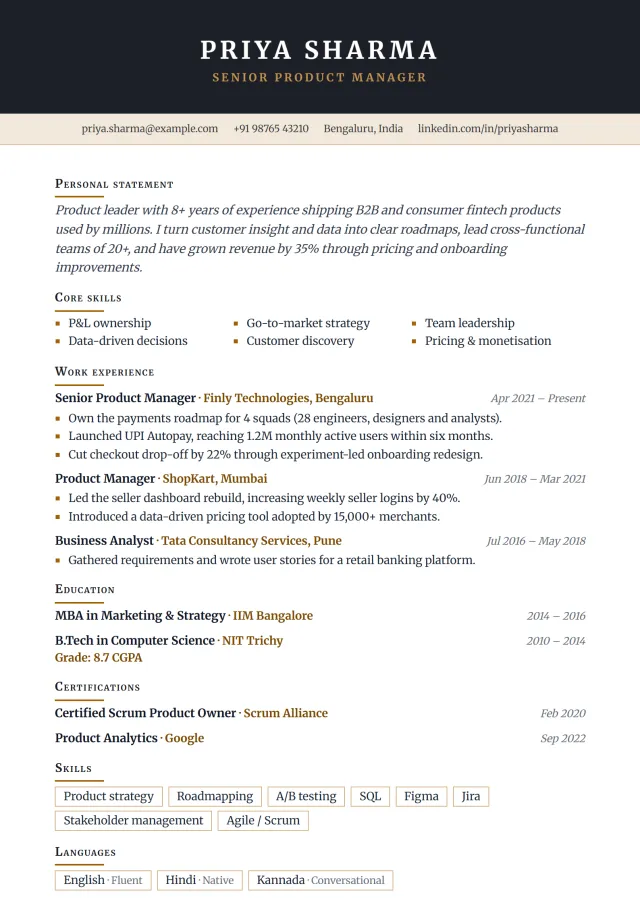
Executive

Technology / IT

Corporate

Minimal

Student / Fresher

International

Technology / IT

ATS-friendly

Executive

Finance

Student / Fresher
An ATS-friendly resume template should make your information easy to store, search and review. That usually means real text, standard headings, a logical reading order and no important details trapped inside images. It does not mean the resume must be ugly; it means the design should not get in the way.
Simple ATS is the plainest option and the safest for online application portals. Corporate ATS adds a polished corporate feel while keeping a single readable column. Minimal Clean ATS uses more white space and fine dividers, so it feels modern without becoming complex. These three are strong starting points when you apply through company career sites, job portals or recruitment systems.
Templates such as Classic, Professional, Traditional and Finance can also work well because they use familiar sections and restrained formatting. Avoid relying on photos, graphics or unusual headings for essential information. Your name, contact details, summary, experience, education and skills should be readable as normal text.
For freshers and early-career applicants, Simple ATS and Fresher Simple keep the page focused on education, projects, internships and skills. If you are applying for IT services, operations, accounts or support roles in high-volume hiring, a plain layout often helps more than a decorative one.
For experienced corporate roles, Corporate ATS, Professional and Classic are more suitable. They give space for work history and achievements without looking too basic. For banking, audit or finance roles, Finance adds a conservative style that still keeps key skills visible. For senior profiles, Executive can work if the content is concise and the profile section does not become a long biography.
If you need more depth on keywords, file format and common myths, read the ATS-friendly resume guide. For a tool-focused route, the ATS resume builder explains how to build, preview and download an ATS-friendly PDF.
The template is only one part of an ATS-friendly resume. Use standard section names such as Experience, Education, Skills, Projects and Certifications. Write dates consistently, for example “Jun 2023 – Present”. Spell out important terms once before using abbreviations if the job description uses both.
A weak skills section says “Excel, communication, hard working, leadership, teamwork” for every role. A stronger version groups relevant skills: “Advanced Excel, GST reconciliation, Tally Prime, vendor payments, bank reconciliation” for an accounts profile. The resume skills guide can help you choose specific skills instead of broad filler.
You can use the Simple ATS template and later switch to Corporate ATS or Minimal Clean ATS without retyping. Preview the PDF carefully after switching, especially if your resume is close to two pages.
Do not chase an ATS score or add hidden keyword lists. MakePerfectResume does not provide an ATS checker, and no template can guarantee shortlisting. The goal is clearer formatting and better content, not tricking a system.
Do not remove all personality either. A clean template still needs evidence of impact: numbers, tools, clients, projects, responsibilities and outcomes. Review the data analyst resume example or accountant resume example to see how role-specific details make a simple layout stronger.
Create, edit and preview your CV for free, with no sign-up. Pay only when you are ready to download the PDF.
Build My CVWe use essential cookies to make this site work and, with your permission, analytics cookies to understand how it's used. Cookie policy